

Customer protection message
Find out what Klarna's warning and stop messages mean, why they appear, and what Partners can do about them.
6 min read
Klarna may show warning and stop messages to a Partner's customers in the Klarna Purchase Journey. This article walks through what these messages are, why they appear, how they change, and what Partners can do about them.
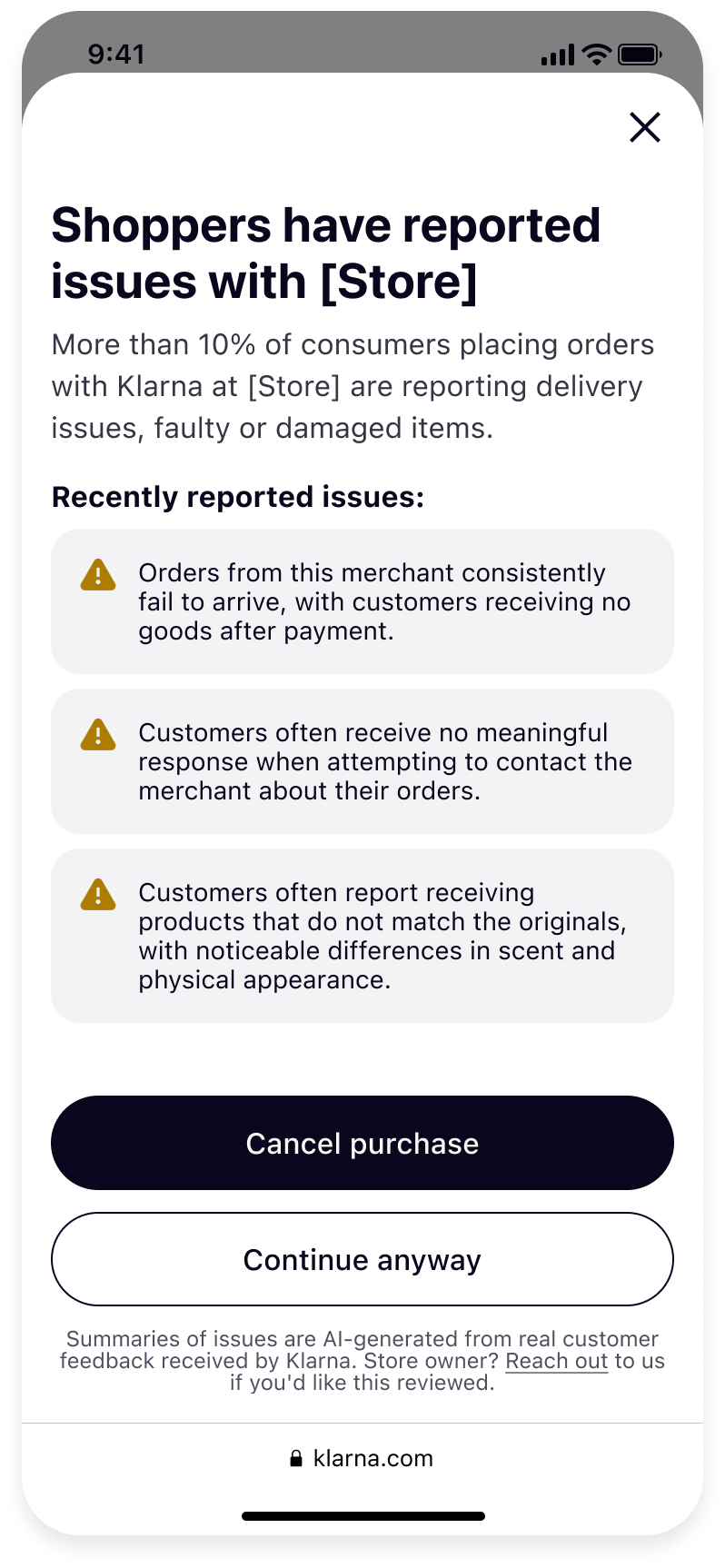 | 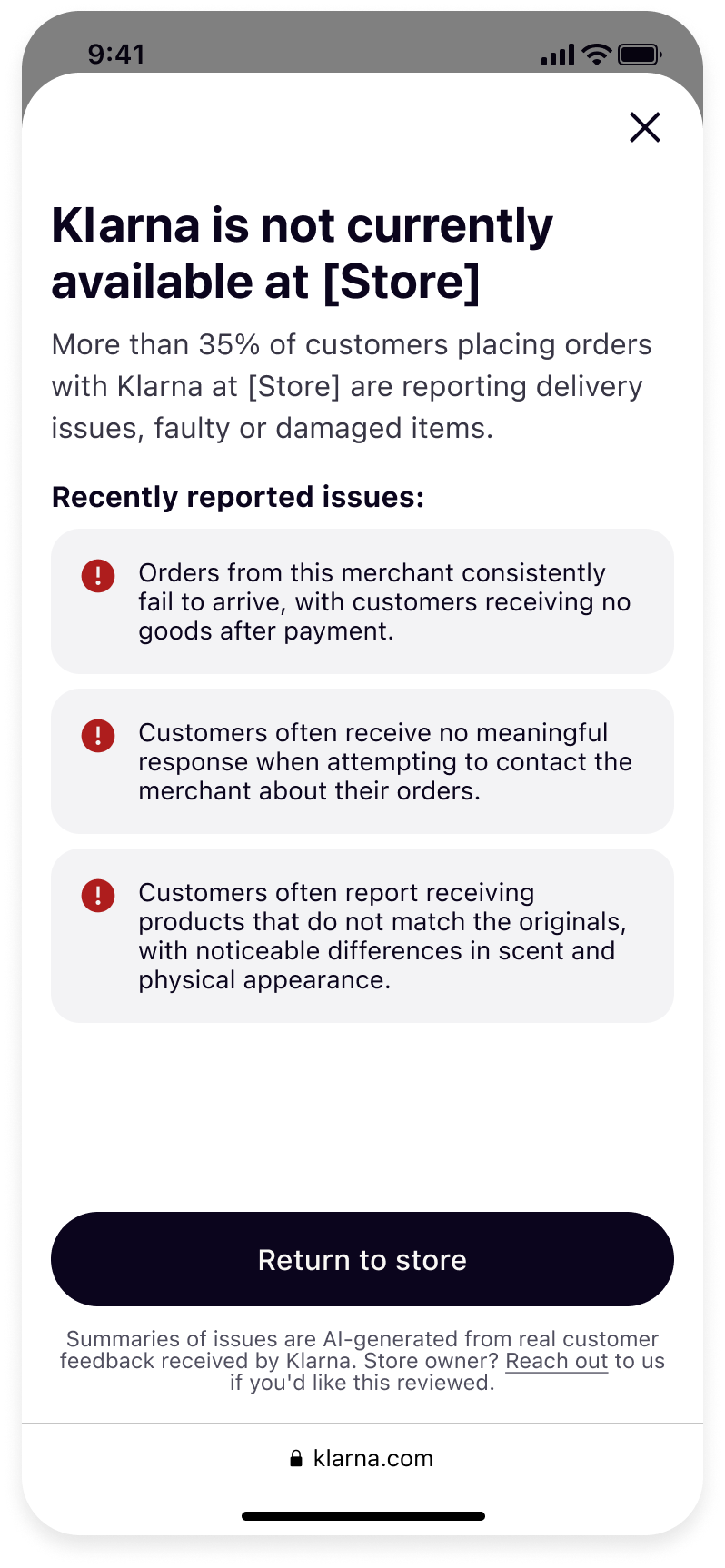 | 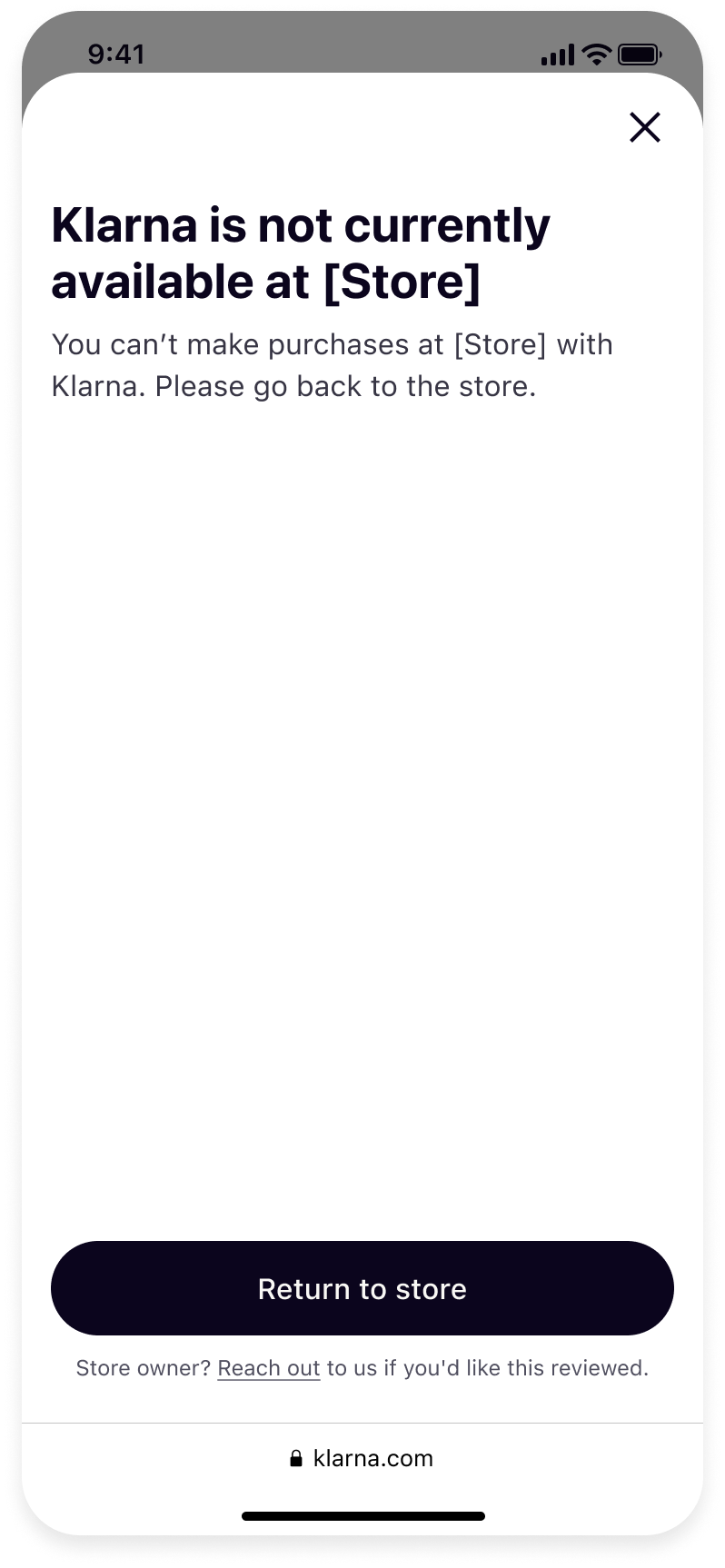 |
| Warning message (customer-reported issues) | Stop message (customer-reported issues) | Stop message (other critical issues) |
What are customer protection messages?
Customer protection messages appear when customers have raised issues about the Partner's Store, leading to an unusually high rate of customer-reported issues, or when there are other critical issues that prevent customers from transacting with Klarna. The messages surface in the Klarna Purchase Journey — the screen a customer reaches after choosing Klarna at checkout to complete their payment. Only customers who are signed in to their Klarna account see these messages; they don't appear outside of the Klarna environment.
There are two types:
- Warning message: shown when customers have reported issues at an excessive rate. The customer can cancel the purchase with Klarna or complete it.
- Stop message: shown when customer-reported issues are at an unacceptable rate, or when there are other critical issues. The customer can't complete the purchase with Klarna at the Store.
What's in the message
What the customer sees depends on why the message is shown.
Customer-reported issues. A warning or stop typically includes:
- Dispute rate: the percentage of the Store's Klarna transactions that customers have recently disputed.
- Issue type: the types of disputes customers have raised, such as items not received or items not matching their description.
- Issue summaries: short summaries of the problems customers have reported about the Store. These summaries are AI-generated from real customer feedback Klarna has received.
Other critical issues. The customer sees a stop message that Klarna isn't available at the Store.
Understanding the messages
A Store can be in one of the following states at any time. The state isn't fixed — it changes according to customer-reported issues and other critical issues:
| State | What the customer sees | Can they complete the purchase? | How the state changes |
|---|---|---|---|
| No message | Nothing — the Klarna Purchase Journey works normally. | Yes | Customer-reported issues can lead to a warning or a stop. Other critical issues lead to a stop. |
| Warning message | Details of the issues customers have reported. | Yes | Clears when customer-reported issues are at an acceptable level. Can escalate to a stop if high levels of customer-reported issues continue or increase. |
| Stop message (customer-reported issues) | Details of the issues customers have reported. | No | May be removed if the Partner uses the Reach out link in the Klarna Purchase Journey and shows that what was wrong has been fixed. |
| Stop message (other critical issues) | A message that Klarna isn't available at the Store. | No | Klarna payments at the Store stay stopped. Use the Reach out link in the footer. Also look for further information that may have been sent to the contact details registered for your Store. |
What the Partner can do
Reach out in the Klarna Purchase Journey
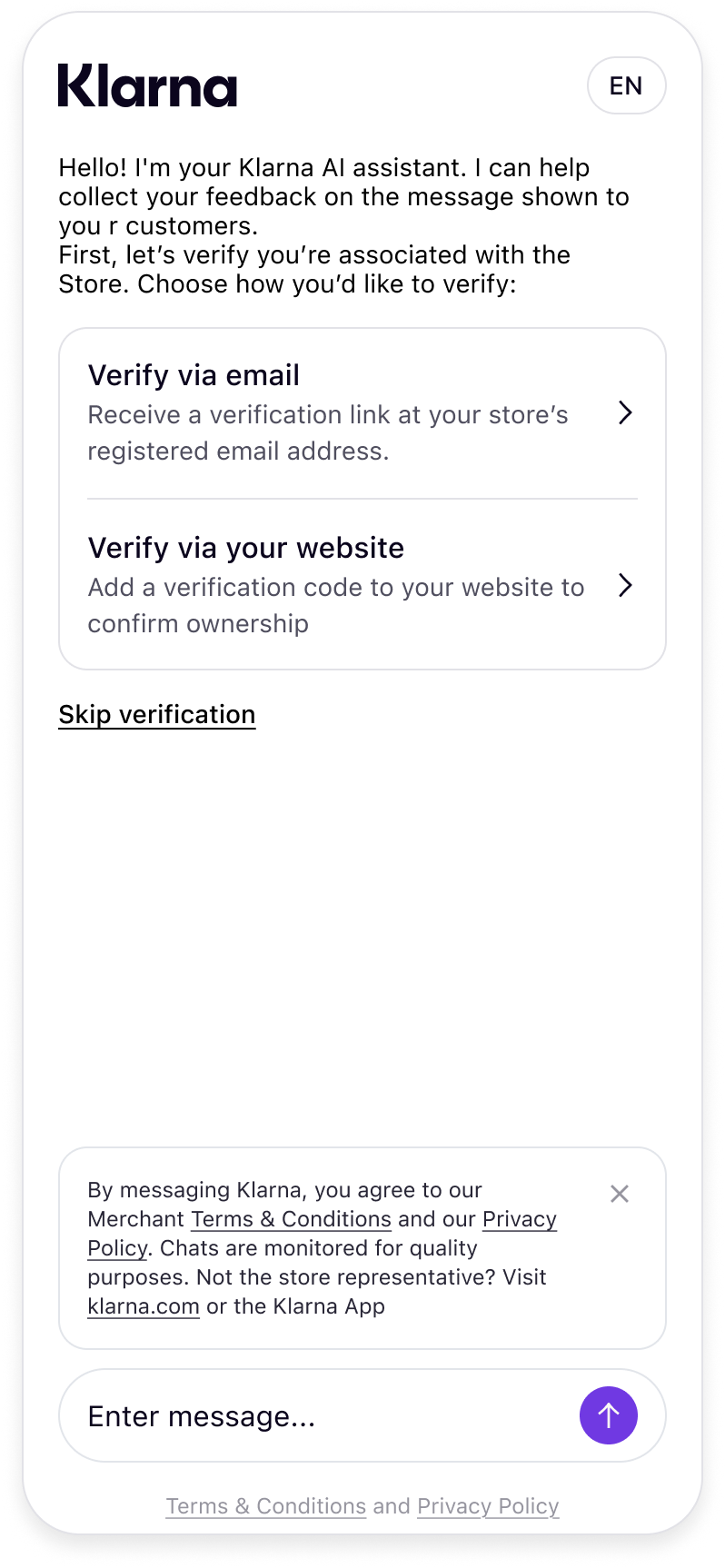
Every customer protection message includes a Reach out link in the footer of the Klarna Purchase Journey. It opens a chat with Klarna. Use the chat to share feedback or context about the issue. The chat is available 24/7, and Partners can ask to speak or chat with a Klarna representative. For customer-reported issues, you can also dispute the message by showing that what was wrong has been fixed.
While optional, we encourage you to verify that you're associated with the Store through one of the following methods:
- 1.Klarna Partner Portal Support ID — enter the Support ID associated with your Klarna Partner Portal account. You'll find this in the Support section, on the Support ID page, if you have access to the Klarna Partner Portal.
- 2.One-time code by email — Klarna sends a one-time verification code to the email address on file for your account. Enter this code to confirm your identity.
- 3.Website verification meta tag — add a verification meta tag to your website's homepage. This confirms you have administrative control over the domain linked to your Klarna account.
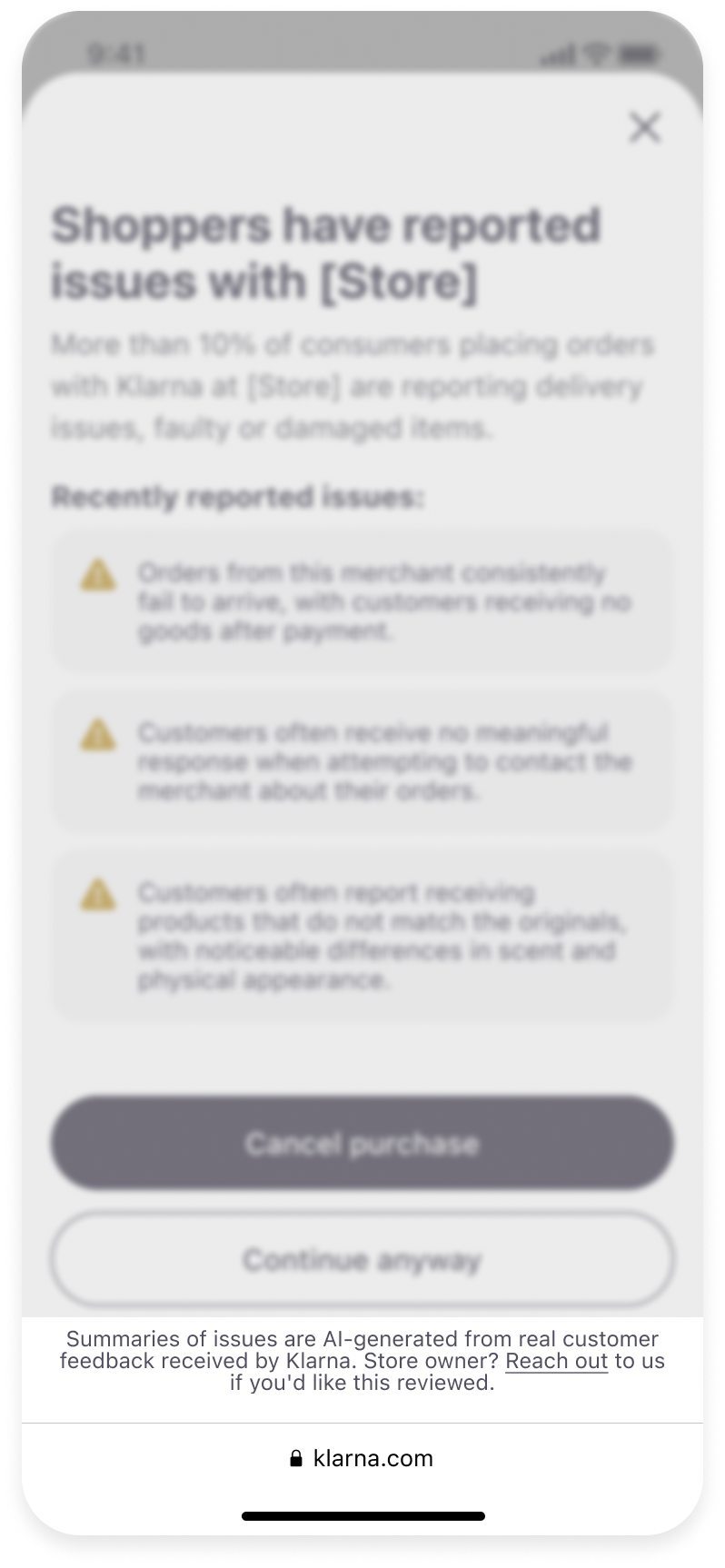 |  |
| Click "Reach out" link in footer | Access chat |
Check your registered contact details
Also look for further information that may have been sent to the contact details registered for your Store.
What this looks like in practice
The scenarios below show what to expect if a customer protection message ever appears for a Store.
Scenario 1: A warning message that returns after being removed
A Partner's customer-reported issues rise above an acceptable level, and a warning message appears in the Klarna Purchase Journey for its customers. The Partner reaches out to Klarna through the chat and shows that what was wrong has been fixed. The message is removed, giving the Partner three months to bring the customer-reported issues down.
If the customer-reported issues increase again above an acceptable level and the changes don't have the intended effect, the warning message reappears in the Klarna Purchase Journey.
Scenario 2: A stop message after a denied resolution attempt
A Partner's customer-reported issues rise above an unacceptable level, and a stop message appears in the Klarna Purchase Journey — customers are prevented from completing purchases with Klarna. The Partner reaches out through the chat, but does not show that what was wrong has been fixed. The stop message remains in place.
Scenario 3: A stop message for other critical issues
A stop message appears for other critical issues. Customers can't complete purchases with Klarna at the Store. Use the Reach out link in the footer of the Klarna Purchase Journey. Also look for further information that may have been sent to the contact details registered for your Store.
Jump to section...