

On-Site Messaging for iOS
Enable Klarna payment messaging on your online store with Klarna's Mobile SDK and boost transparency and conversion. This includes our pre-qualification feature, which allows customers to check their eligibility for Klarna financing before completing a payment request. This reduces friction and increases confidence, as customers know their options upfront.
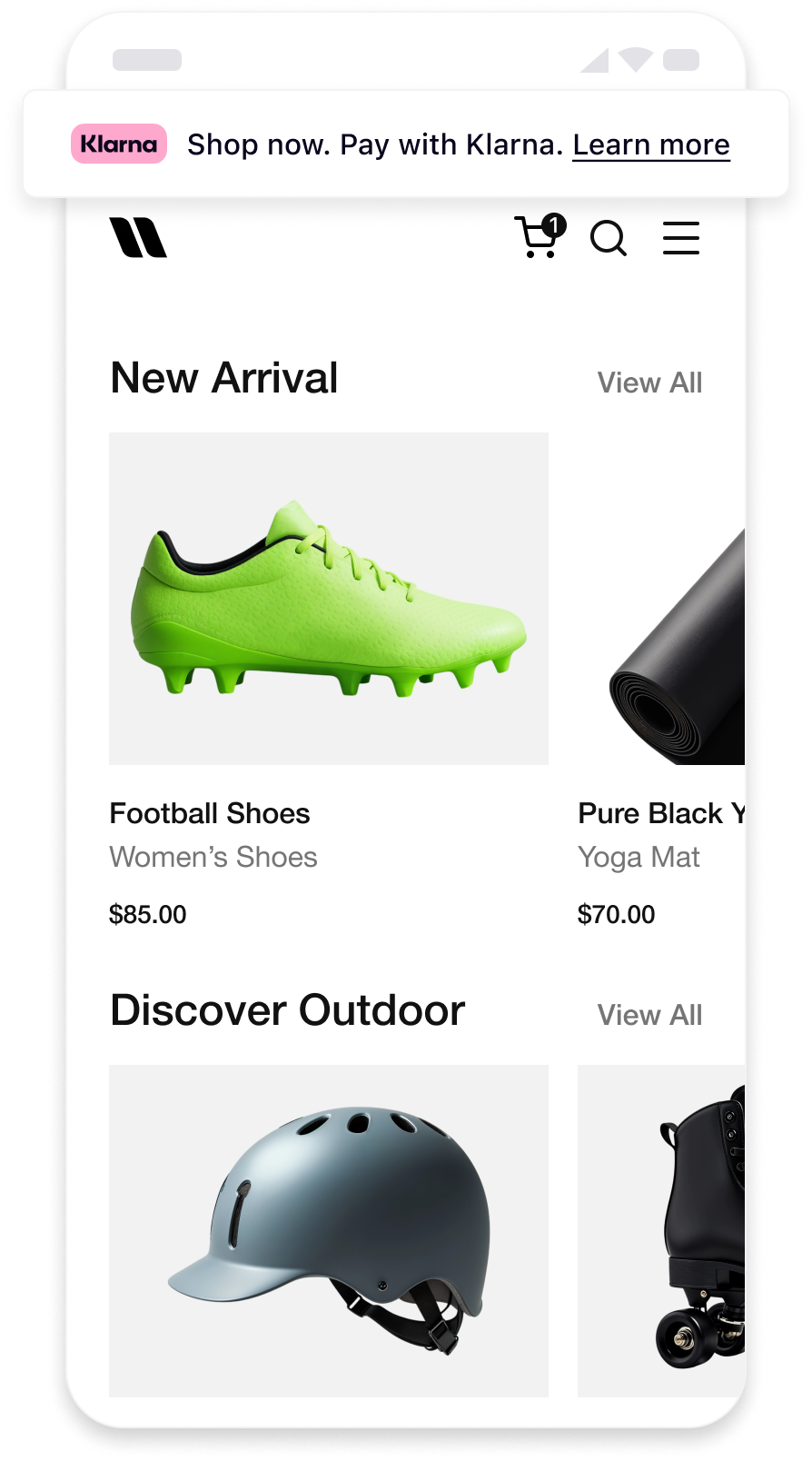 | 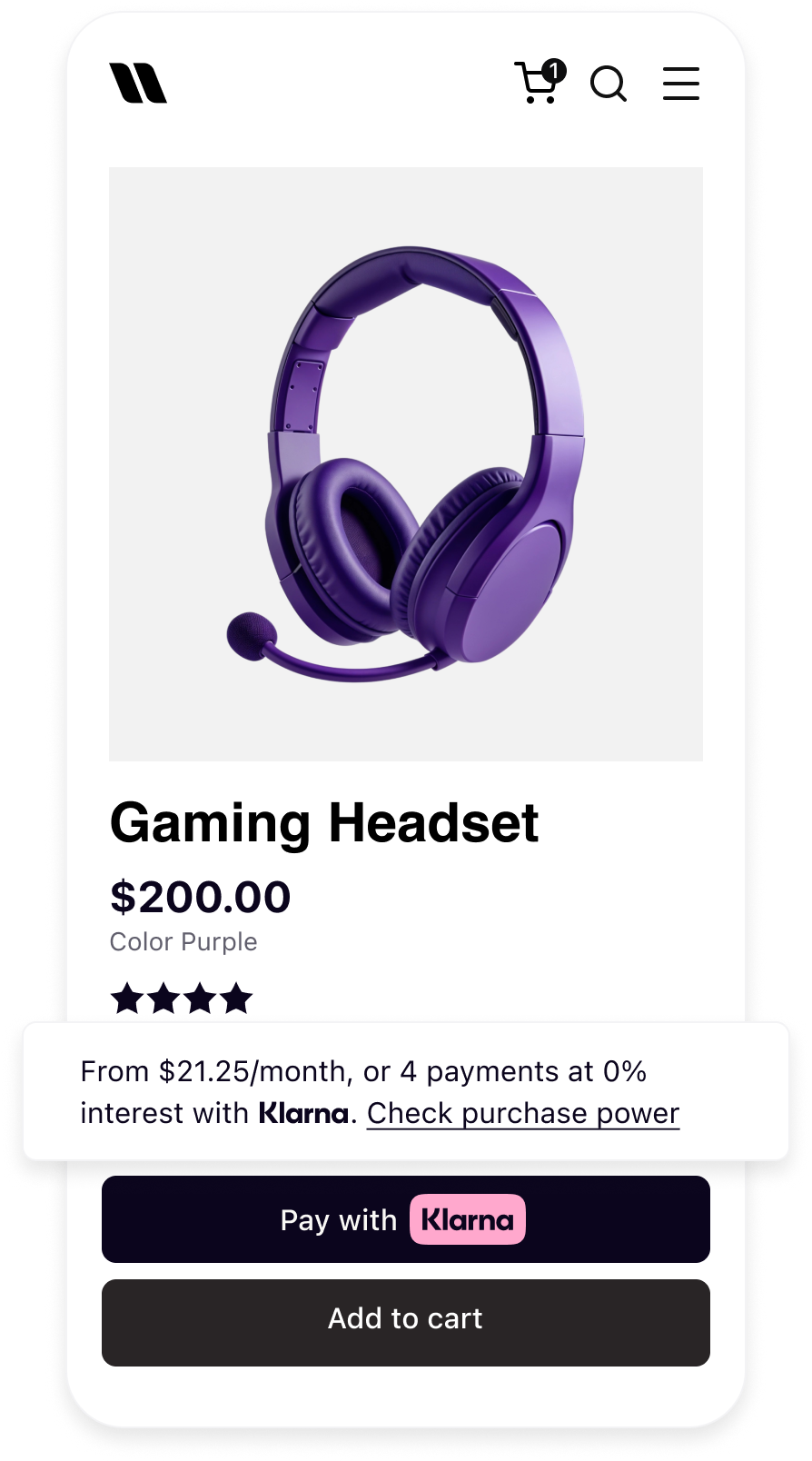 | 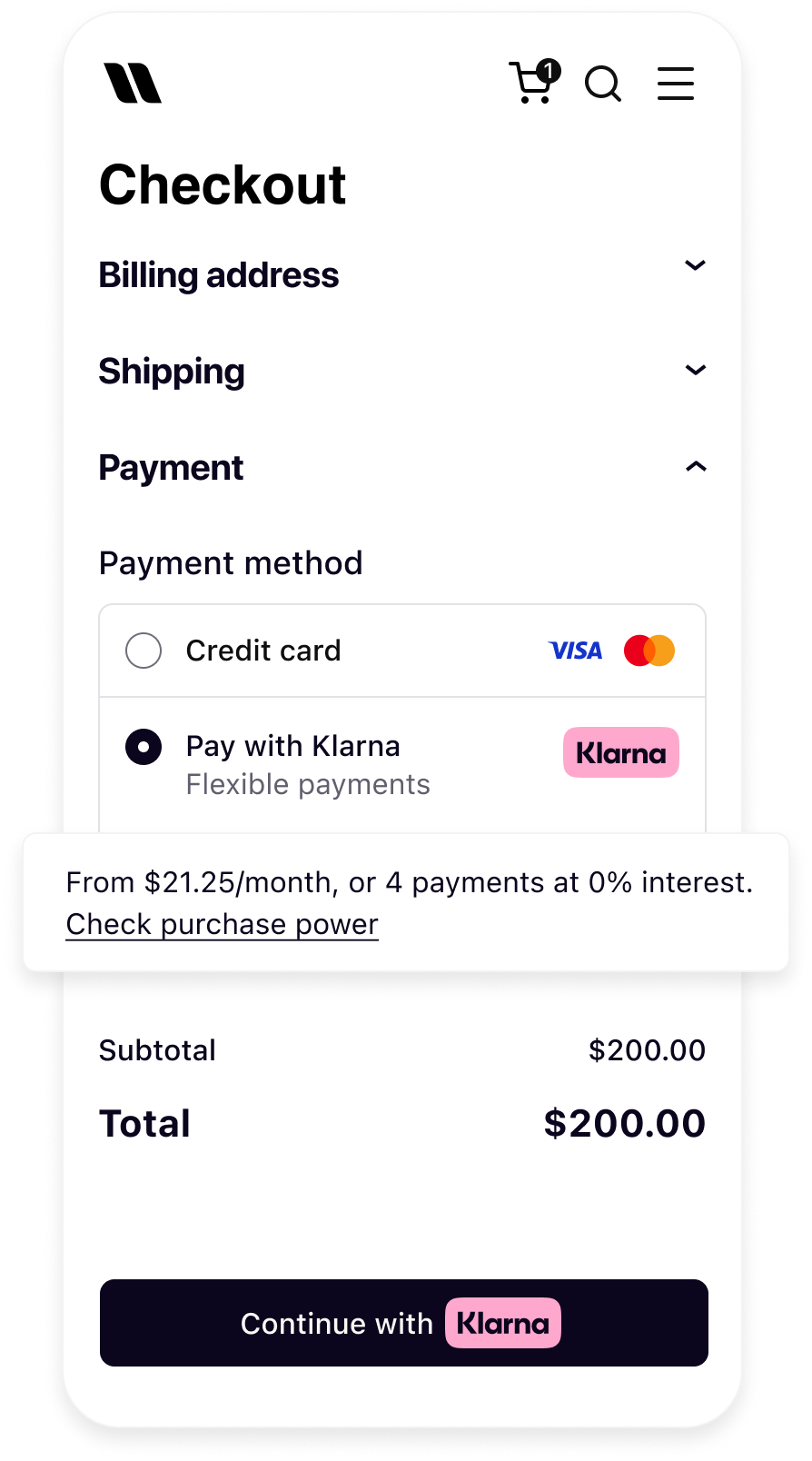 |
| Messaging on the homepage | Messaging on the product detail page | Messaging in the checkout |
Prerequisites
Before you integrate On-site messaging, please check that you meet the following conditions:
- Ensure that you have Klarna enabled.
- Confirm you have access to the Klarna Portal.
- Inside Klarna Portal:
- Confirm that you have generated a client identifier with your domain URL allowlisted.
- Confirm that you have generated an API key.
Integration overview
Adding On-Site Messaging to your native app is a straightforward process. At a high level, to achieve this tailored experience for your users, you will need to follow these steps:
- Request access to On-Site Messaging.
- Add the Mobile SDK Messaging library.
- Initialize the Klarna SDK.
- Create the native messaging view and add it to your screen.
Add Mobile SDK Messaging Library
Swift Package Manager
In Xcode, navigate to File → Swift Packages → Add Package Dependency and enter the repository URL: https://github.com/klarna/klarna-mobile-sdk-ios
In Version, Select Up to Next Major and take the default option. Then choose KlarnaNetworkMessaging in the Package Product column.
Cocoapods
If you’re using Cocoapods, you can add the SDK by adding the dependency to your Podfile:
pod "KlarnaNetworkMessaging"
Followed by performing:
pod install
You should then be able to import the KlarnaNetworkMessaging module in your workspace.
To read more about Mobile SDK versioning policy, check out this section.
Initialize the Klarna SDK
The first step to add On-Site Messaging to your application is to initialize the Klarna SDK and provide the required configuration:
// Create an instance of KlarnaConfiguration
let configuration = KlarnaConfiguration(
    clientId: clientId,
    accountId: accountId,
    locale: locale,
    sdkToken: sdkToken
)
// Initialize Klarna
let klarnaResult = Klarna.initialize(configuration: configuration)
do {
    self?.klarnaInstance = try klarnaResult.get()
// Initialization successfulParameters
Relevant for KlarnaConfiguration
| Parameter | Type | Required | Description |
|---|---|---|---|
| clientId | String | Yes | The client ID of the partner account that is integrating the Mobile SDK. If the integration is done by a PSP/DP then this must be set to the distribution partners own client ID. |
| accountId | String | No | When transacting on-behalf of another account then the partner account ID is specified using the accountId property. |
| locale | String | No | Set the default locale(ISO 3166-1 alpha-2) for the SDK. System default locale will be used if not set. |
Create the Native View
The On-Site Messaging native view on iOS is the KlarnaMessagingPlacementView. You can create this view programmatically and add it to your view controller or custom views.
// Create an instance of KlarnaMessagingPlacementConfiguration
// Depending on your requirements, you can create `CreditPromotionBadge` or
// `CreditPromotionAutoSize` configuration
let placementConfiguration = KlarnaMessagingPlacementConfiguration.creditPromotionBadge(
    theme: .automatic,
    amount: 10000,
    currency: "USD"
)
// Create an instance of the view
let placementView = KlarnaMessagingPlacementView(
    klarna: klarnaInstance,
configuration: placementConfigurationParameters
CreditPromotionBadge
| Parameter | Type | Description |
|---|---|---|
| theme | KlarnaTheme | (Optional) Enumerated theme value to specify how to stylize the view on light, dark or automatic (system) configurations. Default value is light |
| amount | Int | Amount for the placement. Set in micro units ($120.00 = 12000), used for amount based credit promotions. |
| currency | String | 3-letter ISO 4217 currency code |
CreditPromotionAutoSize
| Parameter | Type | Description |
|---|---|---|
| theme | KlarnaTheme | (Optional) Enumerated theme value to specify how to stylize the view on light, dark or automatic (system) configurations. |
| amount | Int | Amount for the placement. Set in micro units ($120.00 = 12000), used for amount based credit promotions. |
| currency | String | 3-letter ISO 4217 currency code |
KlarnaTheme
| Name | Descriptions |
|---|---|
| light | Light style for placement view. |
| dark | Dark style for placement view. |
| automatic | Automatic theme that will use the system’s user interface style. |