

Step 1: Update the Script Tag
Klarna's WebSDK enhances integration, offering faster, safer solutions. Update your website code, adjust some styles, register your website with Klarna, and make sure Klarna's site is allowed on your site for a smooth switch.
2 min read
Klarna is introducing a new WebSDK that aims to streamline the integration process and offer a more robust, fast and safe solution for Partners. Although designed to be backward compatible, some changes might be necessary depending on your setup. Below are the steps to ensure a smooth transition.
Replace your existing
<script> tag as follows:Old Implementation
HTML
1
2
<script async="" src="https://osm.klarnaservices.com/lib.js" data-client-id="<client_id>"></script>
Integration requirement
Please do not use lib.js for new integrations.
New Implementation
HTML
1
2
3
4
5
6
7
<script
    async
    data-environment="playground | production"
    src="https://js.klarna.com/web-sdk/v1/klarna.js"
    data-client-id="your_klarna_live_client_">
</script>
New client ID format
The value of data-client-id would be different and would look like **klarna_{env}client{longString} **which you can copy from Klarna Partner Portal
Step 2: Modify Styling if Using ::parts API
If you're using the ::parts API for styling, update the selectors.
Old:
HTML
1
2
3
4
#placementID *::part(osm-container) {
  /* Your CSS rules here */
}
New:
HTML
1
2
3
4
#placementID::part(osm-container) {
  /* Your CSS rules here */
}
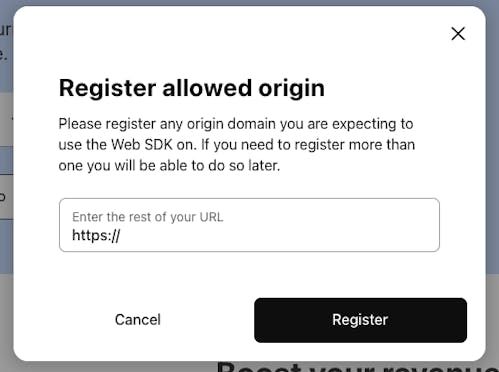
Step 3: Register your origin domain
Login to Klarna Partner Portal and navigate to Conversion boosters to allow your domain origin.
Step 4: Modify CSP rules if you have set CSP
If you're using CSP (Content Security Policy), you will need to allowlist js.klarna.com.
CSP whitelisting guide
For for more details and examples please follow the steps from Integrate using Klarna Web SDK
Jump to section...