

Order lines benefits and impact on experience
Order line data points drives critical on conversion rates by enabling a high-quality customer experience.
4 min read
Sending complete and accurate order line data is essential to creating a smooth post-purchase experience for Klarna users. Beyond checkout, users rely on the Klarna app and other touchpoints such as email to review their transactions, track deliveries, and repurchase items.
The presence and quality of this data directly affects how clearly transactions are displayed and how easily users can engage with products after purchase. Providing high-quality order line data helps Partners:
- Enhance the post-purchase experience by displaying clear product names, images, and prices.
- Enable features like "Buy Again", allowing customers to repurchase items directly from the Klarna app.
- Reduce customer service inquiries by improving transparency.
- Maintain consistent transaction details across all Klarna APIs.
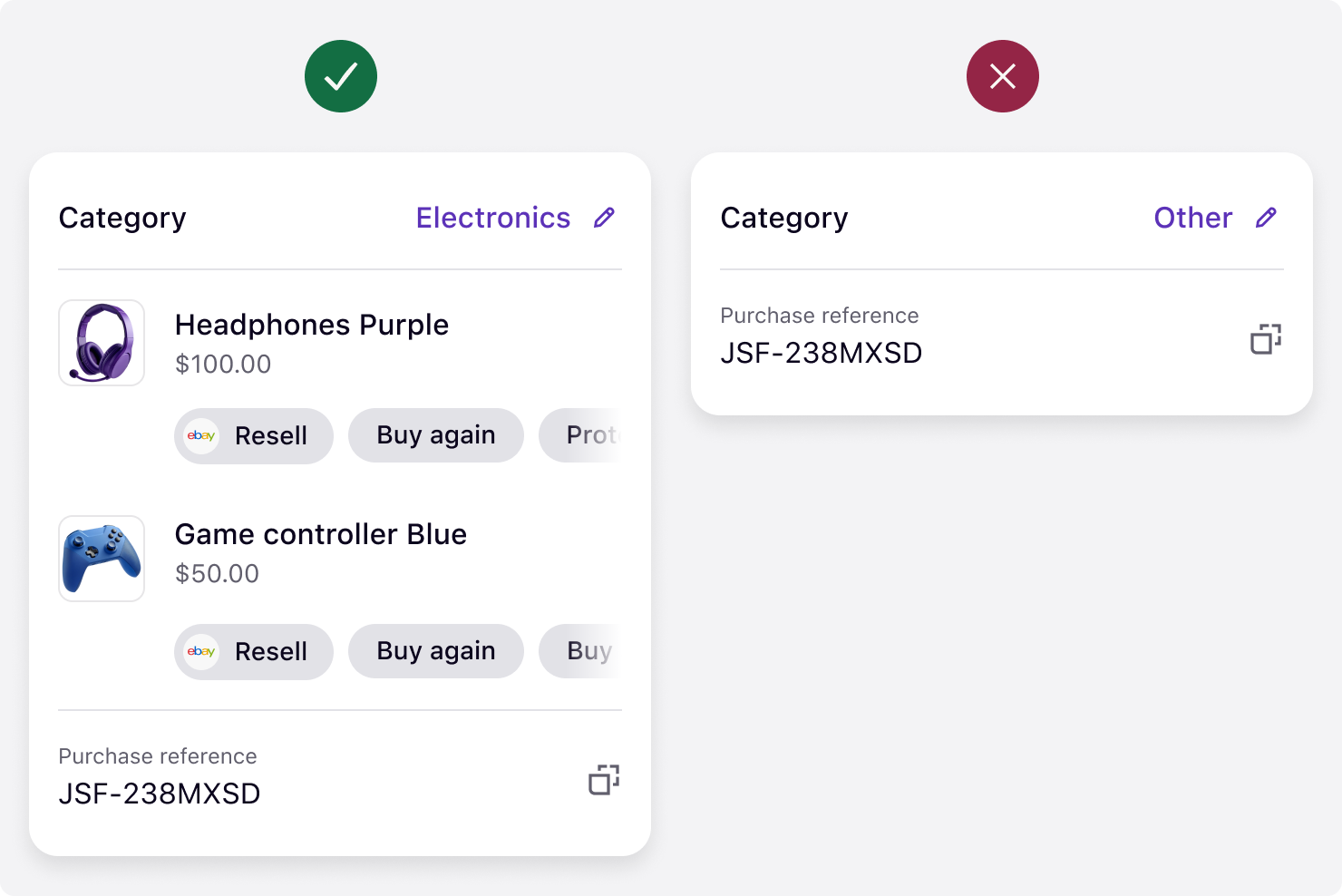
Transaction detail view with and without order line data
Order line data is send as array of objects containing different data points. Each line item should include:
name: A clear descriptive title of the product (for example, “Denim overalls”).type: Identifies whether the item is a product, fee, tax, or adjustment.unit_price: Exact amount per item to avoid discrepancies.image_url: High-resolution image link that renders well in Klarna interfaces.product_url: Direct link to the Partner website’s product page.reference: Partner-facing article number or SKU.
These fields create a complete, visually appealing transaction record for users.
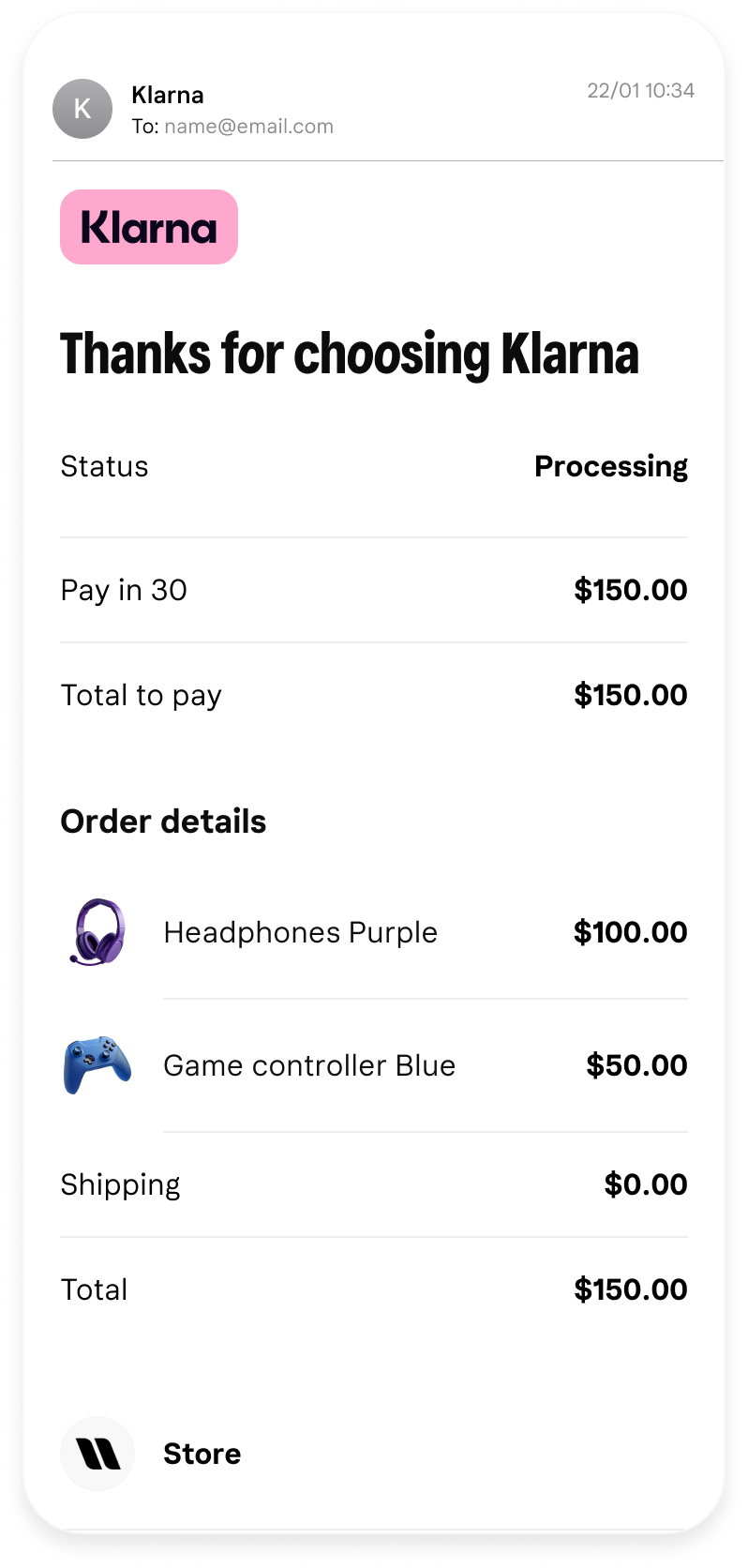 | 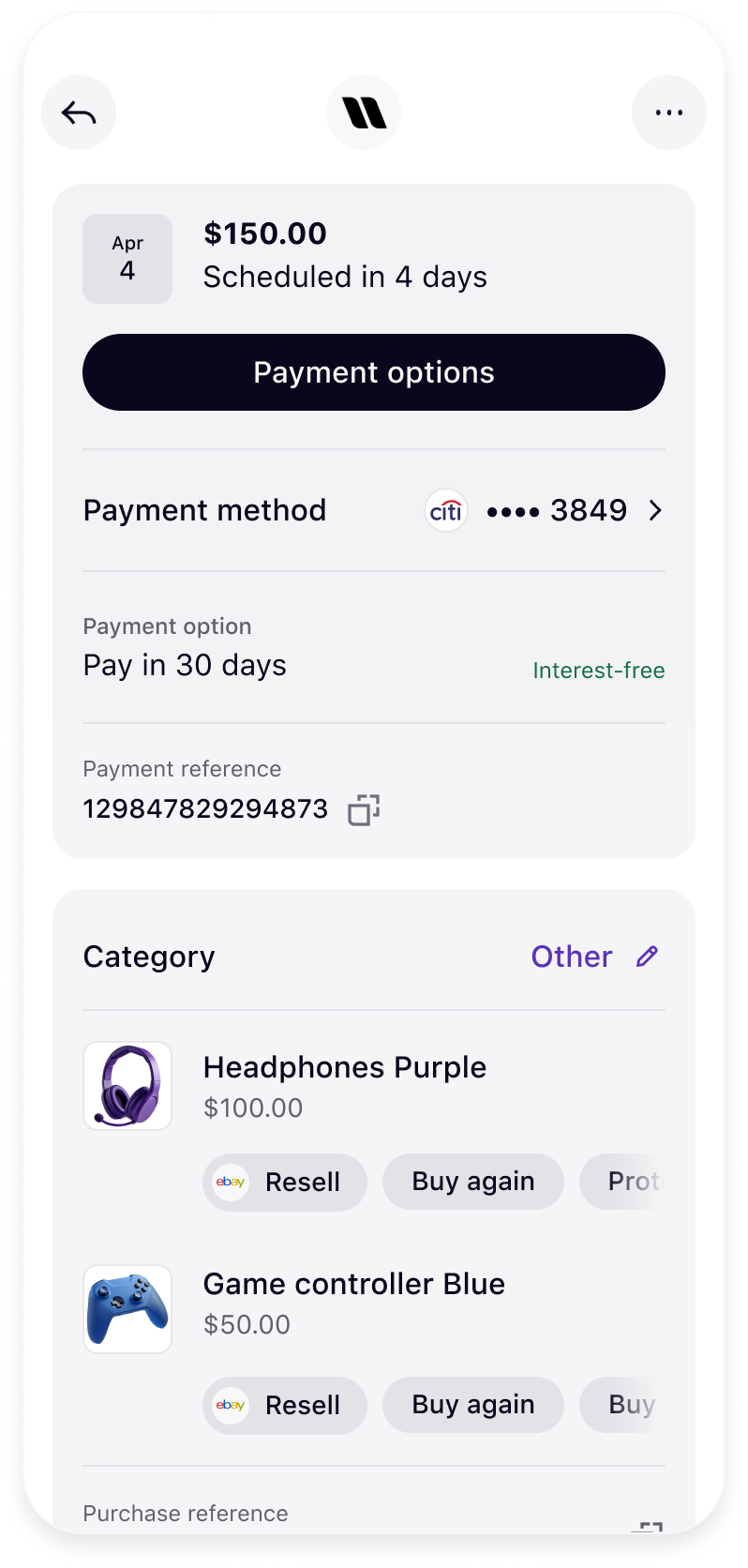 |
| Order line data in transaction email communication | Order line data in transaction detail page |
It is important to have the correct type in order to properly show the transaction breakdown on Klarna interfaces. Klarna supports several types that can be share using the parameter
order_line.type:physical: Indicates tangible goods (for example, brown suede shoes)digital: Indicates intangible goods or services (for example, concert tickets)shipping_fee: refers to the delivery costs for the customerdiscount: Used to indicate reductions applied to the item price (for example, 10% off sitewide)sales_tax: Tax applied to the itemgift_card: Indicates the product is a Gift cardstore_credit: Indicates that customer's store credit is applied as a payment methodsurcharge: Used to indicate other additional charges
Order line data can be provided at several points in the purchase lifecycle using Klarna APIs by sharing the
order_lines array of objects in the corresponding API operation:- During the creation of the session and placement of the order:
- After the purchase and during the order management cycle:
- Order Management API – Refund an order
 When you include
 product_urlandimage_url, Klarna displays the item visually across all customer-facing touchpoints, such as the Klarna app, emails, and web views.
Ensure all key parameters remain consistent between
create_order, capture, and refund requests. Klarna uses these parameters to map and display order items accurately.| Parameter | Description | Required consistency |
|---|---|---|
name | Line item name | Must match across all requests |
reference | Line item reference | Must match across all requests |
purchase_country | Country of purchase | Must match across all requests |
product_identifiers | Attributes such as color and size | Must match across all requests if provided |
merchant_id | Used for authentication | Must match across all requests |
Inconsistencies can cause display or refund mapping errors within the Klarna app.
- Using inconsistent field values between API calls.
- Providing low-quality or missing images.
- Omitting product URLs, which disables the Buy Again button.
- Using generic item names (for example, “Product 1”).
Jump to section...